
Learn how to register on SikaHelp, create your free account, explore membership levels and get started with our step-by-step beginner's guide.
How to Register on SikaHelp: Step-by-Step Account Creation Guide
Ready to become part of SikaHelp? Creating your account is the first step toward exploring our peer-to-peer financial matching community. Whether you're joining for the first time or returning after hearing about SikaHelp from a friend, this guide will walk you through getting started.
You can begin directly from our SikaHelp registration page. Follow the steps below, then take a look around your account to understand the options available to you.
Step 1: Open the SikaHelp Registration Page
Visit sikahelp.com/register using your phone, tablet, or computer. This is the starting point for creating your SikaHelp account. If you're visiting from a social media post or a message shared by a friend, you can use the same direct link.
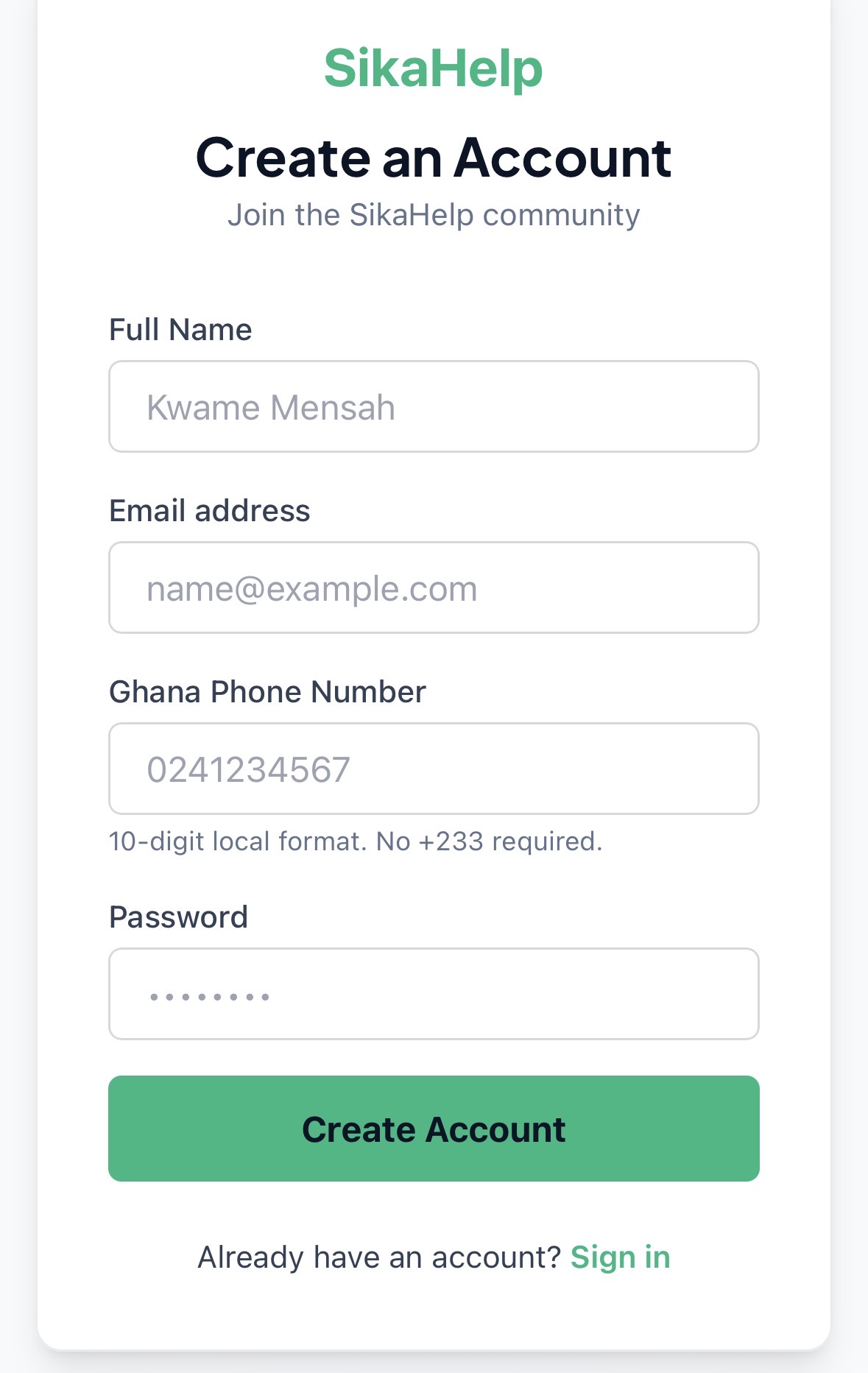
Step 2: Enter Your Registration Details
Complete the fields shown on the registration form. Use accurate information and check your entries before continuing, particularly any contact details requested. The exact fields and any required confirmations are displayed on the live form.
If you reached SikaHelp through an invitation, follow any referral instructions presented during registration. Don't assume a referral code is required unless the form specifically asks for one.
Step 3: Submit Your Registration
Once you've reviewed your information, use the registration button shown on the form. Follow any confirmation or verification instructions that appear. If the form highlights a missing or incorrect field, correct it and submit again.
Wait for the account creation process to finish before attempting to sign in. If you are asked to verify a contact method, complete that step using the instructions provided on screen.
Step 4: Sign In and Explore Your Account
After creating your account, follow the on-screen direction to continue into SikaHelp. If you are taken to a sign-in screen, use the account credentials you registered with.
Spend a moment exploring the available account sections. Familiarize yourself with the membership options, matching information, account settings, and any instructions displayed before you begin participating. Understanding the flow makes your next steps much easier.
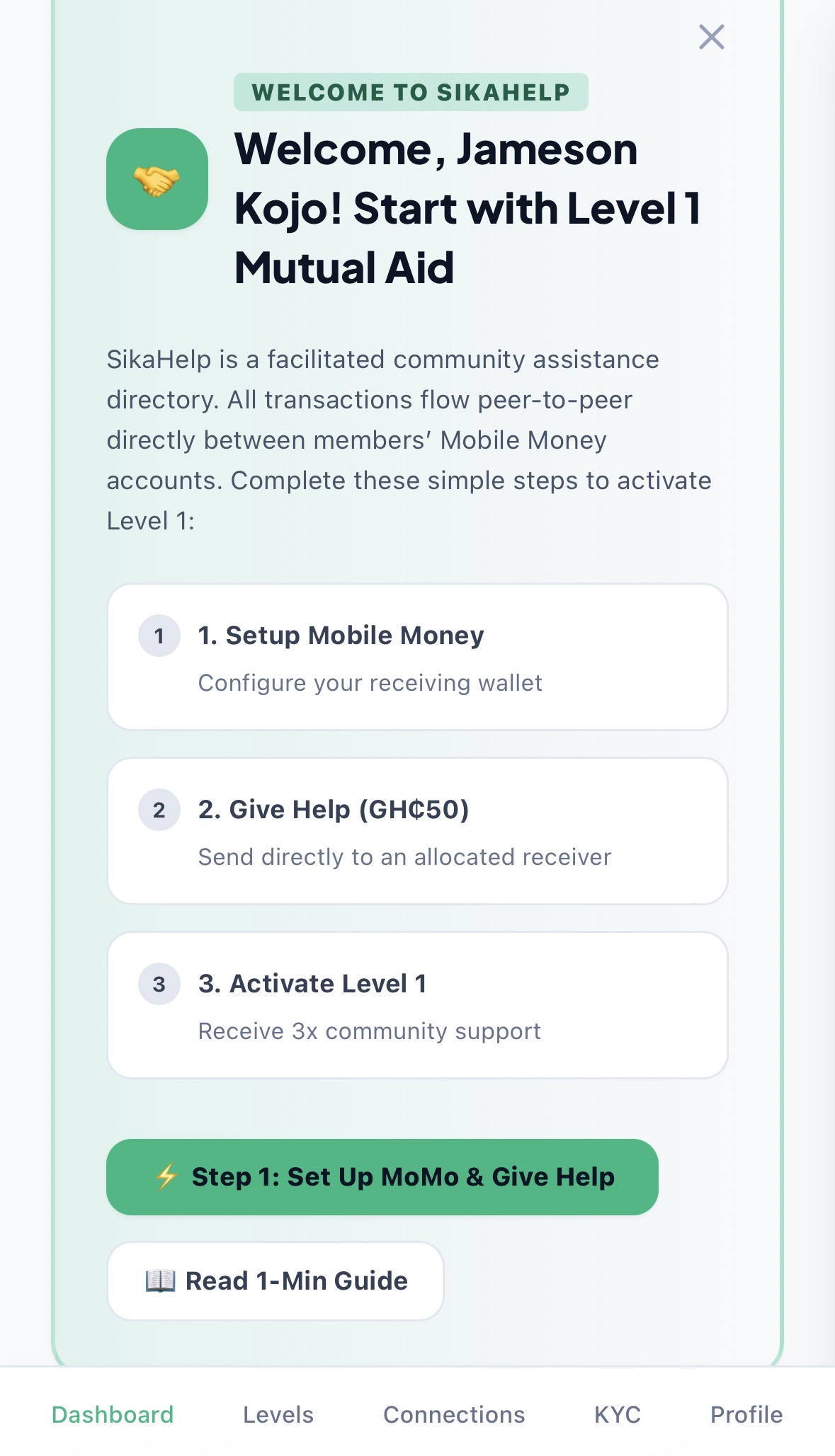
What Can You Do After Registering?
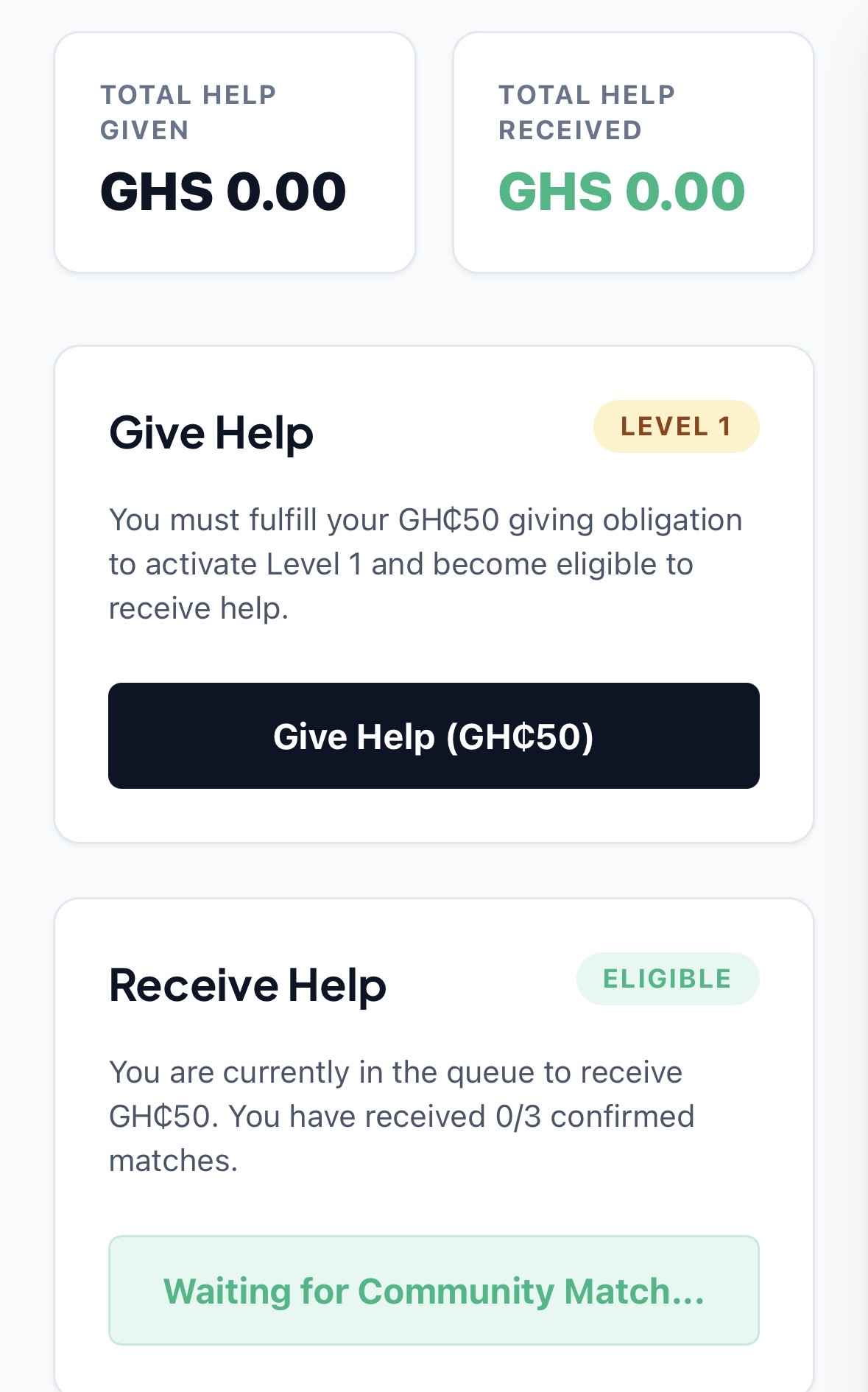
With your account ready, you can explore SikaHelp's financial matching model and choose how you would like to participate. Our Give Help and Receive Help structure connects participating members through the matching process.
Membership levels include GH₵50, GH₵125, GH₵500, GH₵1,500, GH₵2,500, and GH₵5,000. For example, under the three-times potential Receive Help scenario, a GH₵50 level corresponds to a potential GH₵150, while GH₵125 corresponds to a potential GH₵375. These are potential matching outcomes subject to the applicable participation and matching conditions, not automatic payments simply for registering.
Start by reviewing the options available inside your account and following the instructions for the level you choose. Registration itself is free; selecting a participation level is a separate decision.
Explore the SikaHelp Affiliate Programme
Interested in introducing others to SikaHelp? Our affiliate programme provides another way to engage with the community through eligible referral activity. Visit the SikaHelp affiliate page to learn how the programme works and which conditions apply.
Having Trouble Registering?
If you can't complete registration on your first attempt, try these simple checks:
- Review your entries: Look for highlighted fields and correct any missing or invalid information.
- Check your connection: Make sure your internet connection is stable before submitting the form again.
- Follow on-screen instructions: If a confirmation step appears, complete it before trying to sign in.
- Already created an account? Use the sign-in or account recovery options available on the platform instead of creating another account.
If the issue continues, use the official support option provided on SikaHelp and describe the message you see. Never include your password when asking for assistance.
Frequently Asked Questions
Is creating a SikaHelp account free?
Yes. You can create an account without paying a registration fee. Any decision to participate at a membership level comes afterward.
Where do I register for SikaHelp?
Go directly to sikahelp.com/register and complete the account creation process.
Do I need to choose a membership level during registration?
Creating an account and choosing a participation level are separate steps. Once registered, review the available levels and the instructions shown in your account.
Can I register using my phone?
You can open the registration page in your phone's web browser and follow the form presented there.
Can I invite other people to SikaHelp?
Explore our affiliate programme for information about eligible referrals and how to get involved.
Join SikaHelp Today
Your SikaHelp journey begins with one simple step: creating your account. Register, explore the available opportunities, learn how financial matching works, and decide how you want to participate in our growing community.